How to Perform a Self Upgrade of Your API Version
Modified on: 2026-07-21 19:51
TABLE OF CONTENTS
Overview
You can now self-upgrade your API version directly from the Go Console without contacting support. This guide walks you through the process.
You have two options:
- Certify first – Validate the upgrade in the Certification environment before applying to Production.
- Upgrade directly in Production – Apply the upgrade immediately and sync the Certification environment automatically.
Important:
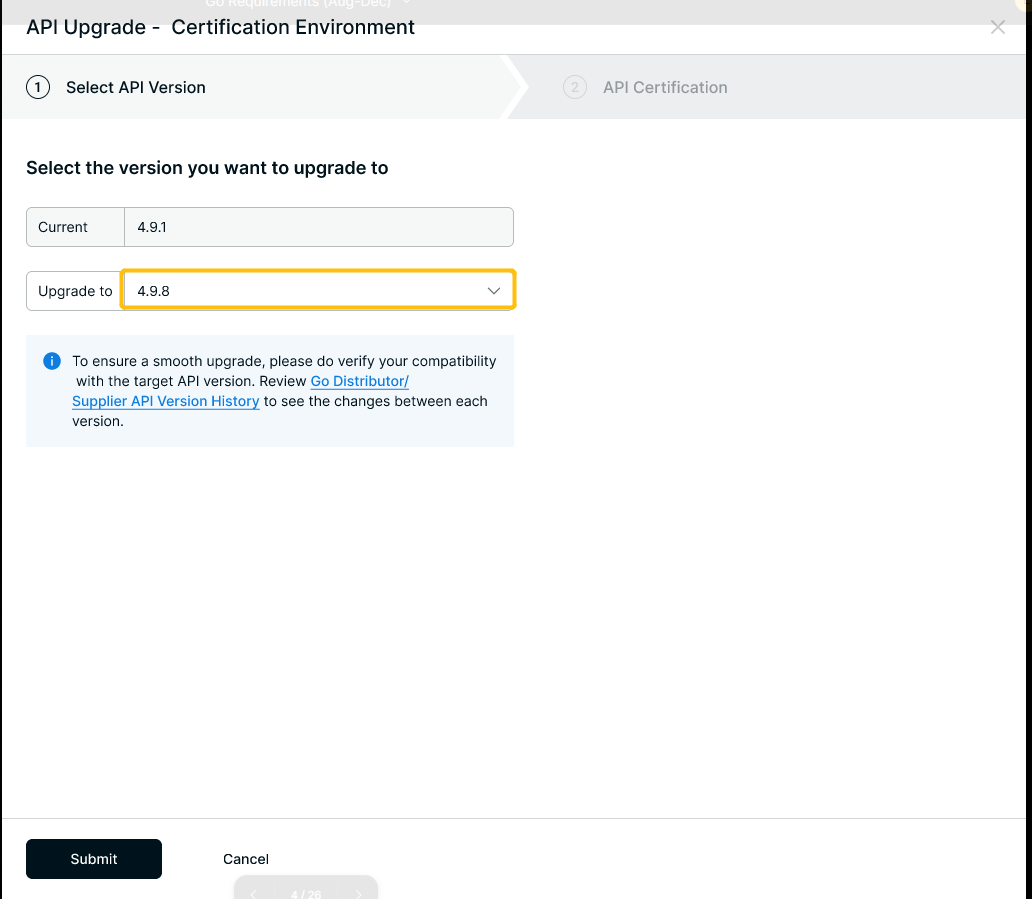
To ensure a smooth upgrade, please verify your compatibility with the target API version. Review the Go Distributor API Version History to understand the changes between each version.
Steps (Certify‑First Approach)
If you prefer to certify the upgrade before moving to Production, follow these self‑service steps:
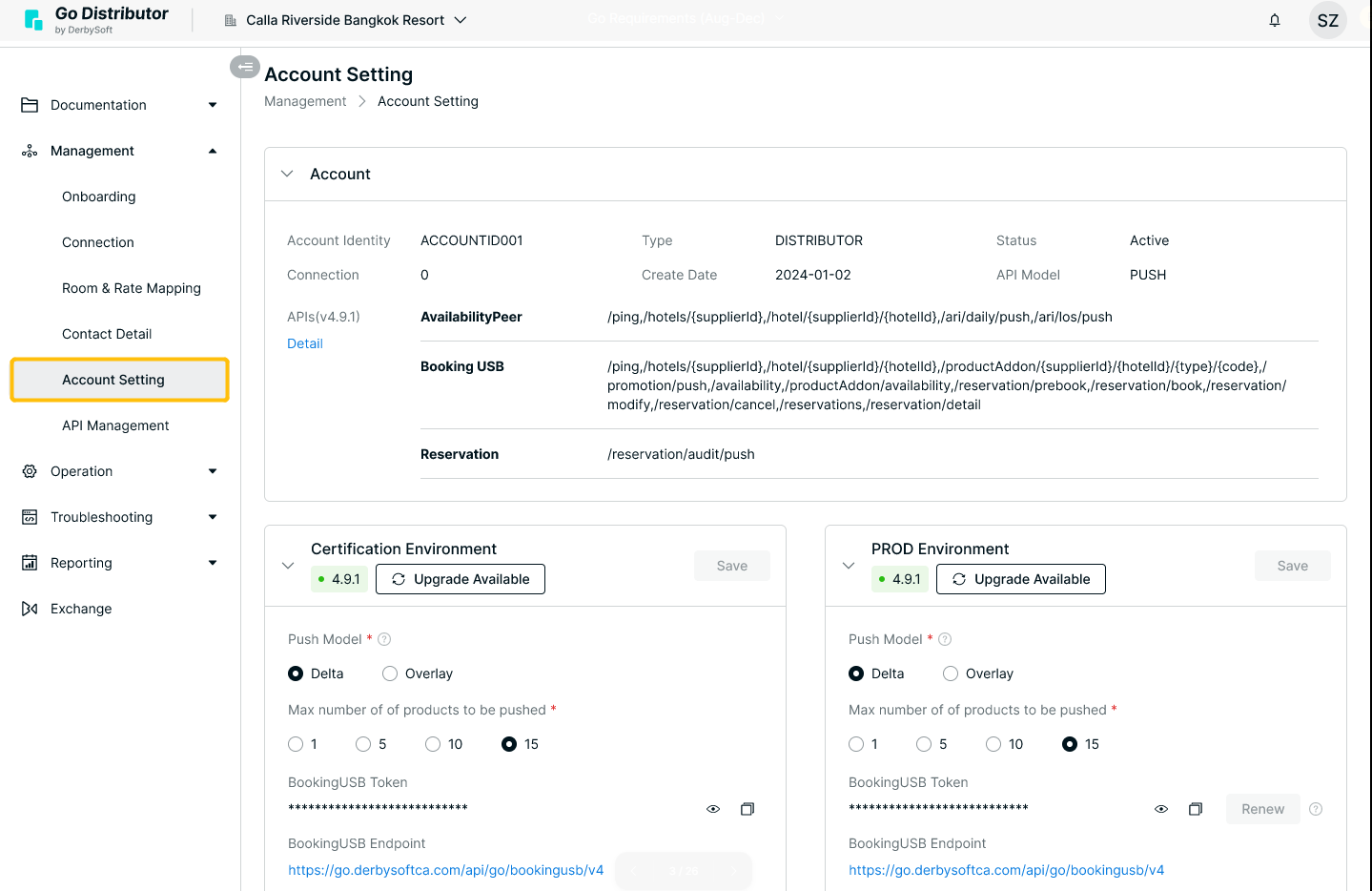
Step 1 Go to Account Setting in the Go Console.
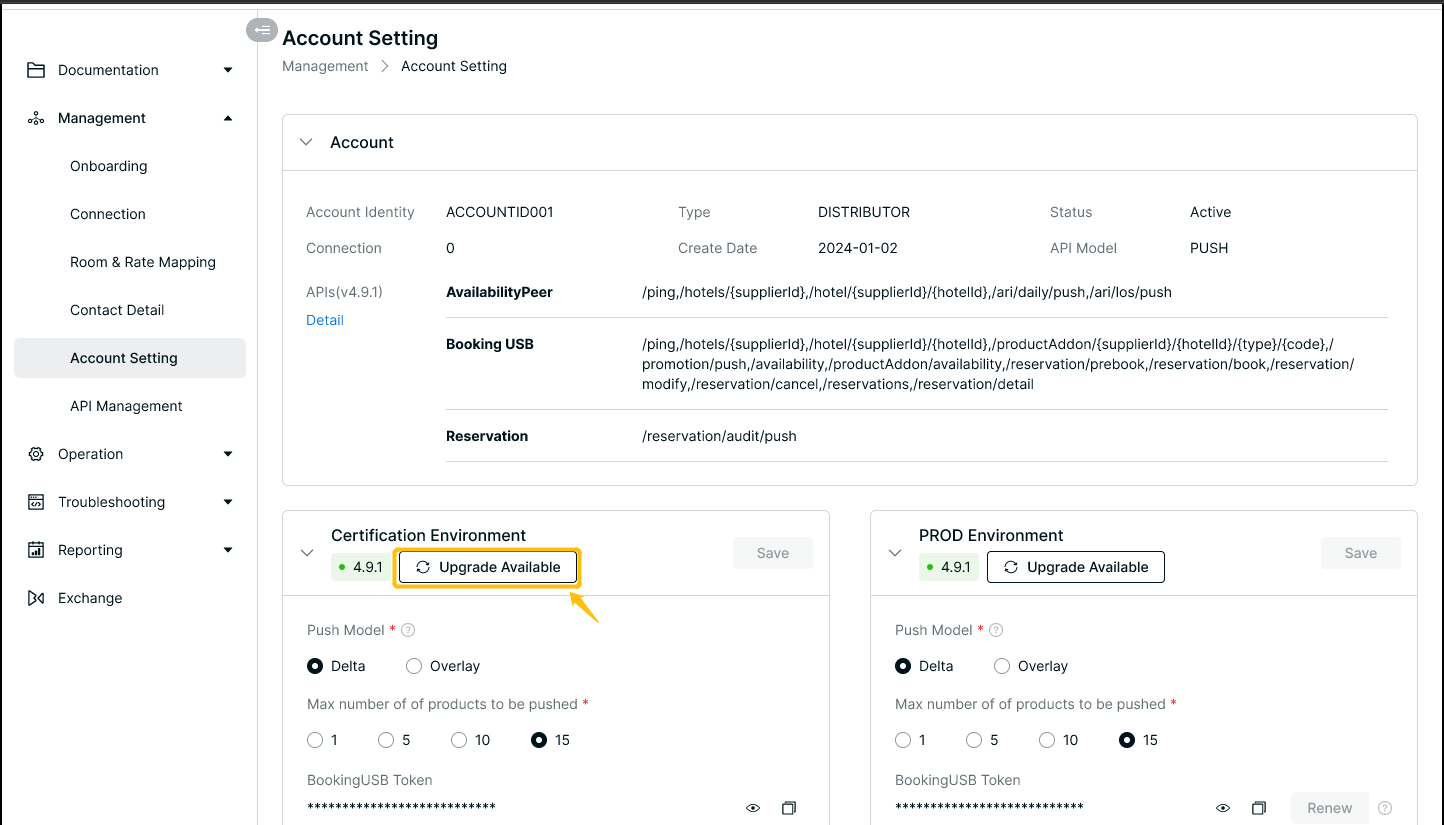
Step 2 Click Upgrade Available under Configure Certification Environment.
Step 3 Select the API version you wish to upgrade to (follow the on‑screen flow).
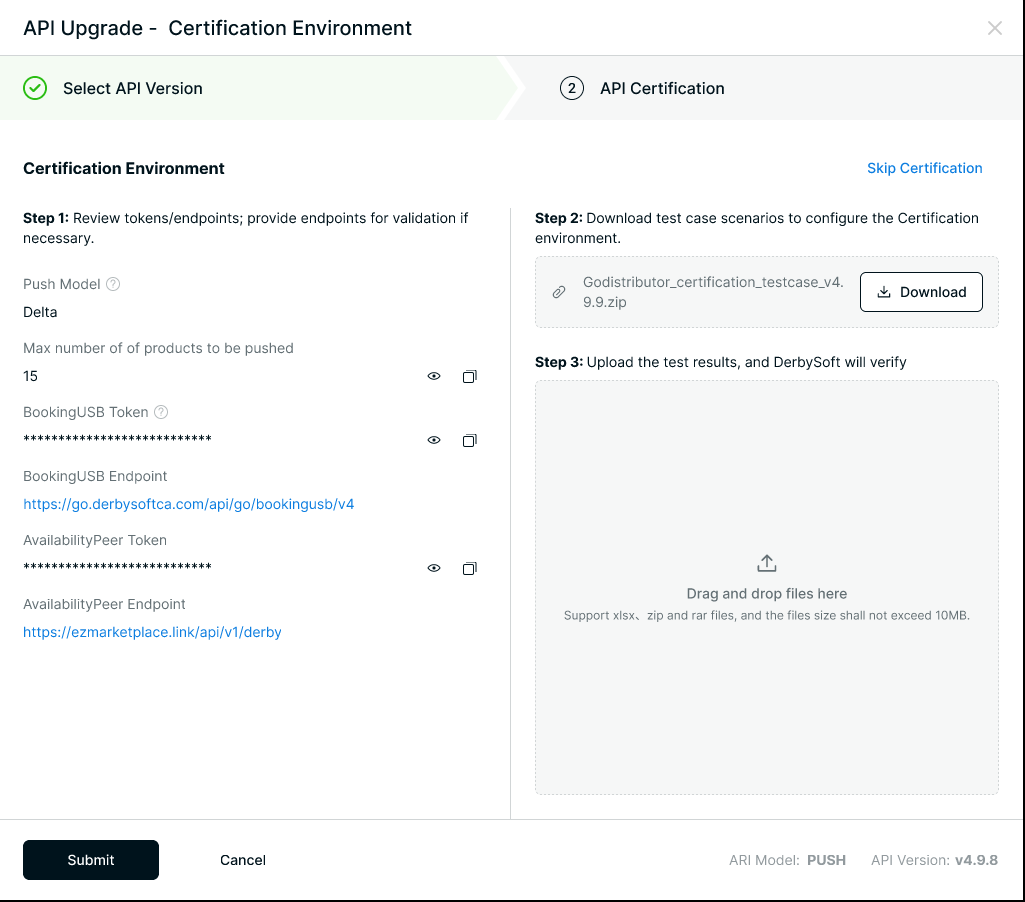
Step 4 Complete the API certification process and obtain approval.
Once approved, your upgrade is complete – no further action needed.
Self‑Upgrade Note: You may also upgrade directly in the Production environment. Doing so will automatically sync the same version to your Certification environment, allowing you to skip the separate certification step.
Notes on Self Upgrade
- V3 to V4 transition – If you are currently on V3, you must first upgrade to V4 (check here to know how to upgrade to V4). Once you upgrade to V4, you will be defaulted to the latest available version within V4.
- Version restriction across environments – If you start the upgrade in the Certification environment but switch to Production before completing the process, your Production environment will be locked to the version you selected in Certification.
Example: Selecting 4.9.7 in Certification means you cannot upgrade Production directly to 4.9.8; the system will require you to use 4.9.7.
- Direct Production upgrade – You can choose to upgrade directly in Production at any time. This will automatically sync the same version to your Certification environment, giving you a faster self‑upgrade path.
Did you find it helpful? Yes No
Send feedbackSorry we couldn't be helpful. Help us improve this article with your feedback.