Room and Rate Mapping
Modified on: 2026-11-27 19:08
TABLE OF CONTENTS
Overview
Go Distributors can map room types or rate plans of a connected Supplier (either a Go Supplier or Build Supplier) to their own internal IDs. Room mapping and rate mapping follow the same logic; this article uses room mapping as an example.
Once a mapping is set up, Go will translate room type and rate plan IDs in all API calls between the distributor and the supplier.
Instruction
Step 1: Enable Room Mapping for a Connection
Identify the connection that needs room mapping enabled and open Connection Setting page. In the Connection Setting section, click enbale to open the Room Mapping Setting Detail and save the Selection. 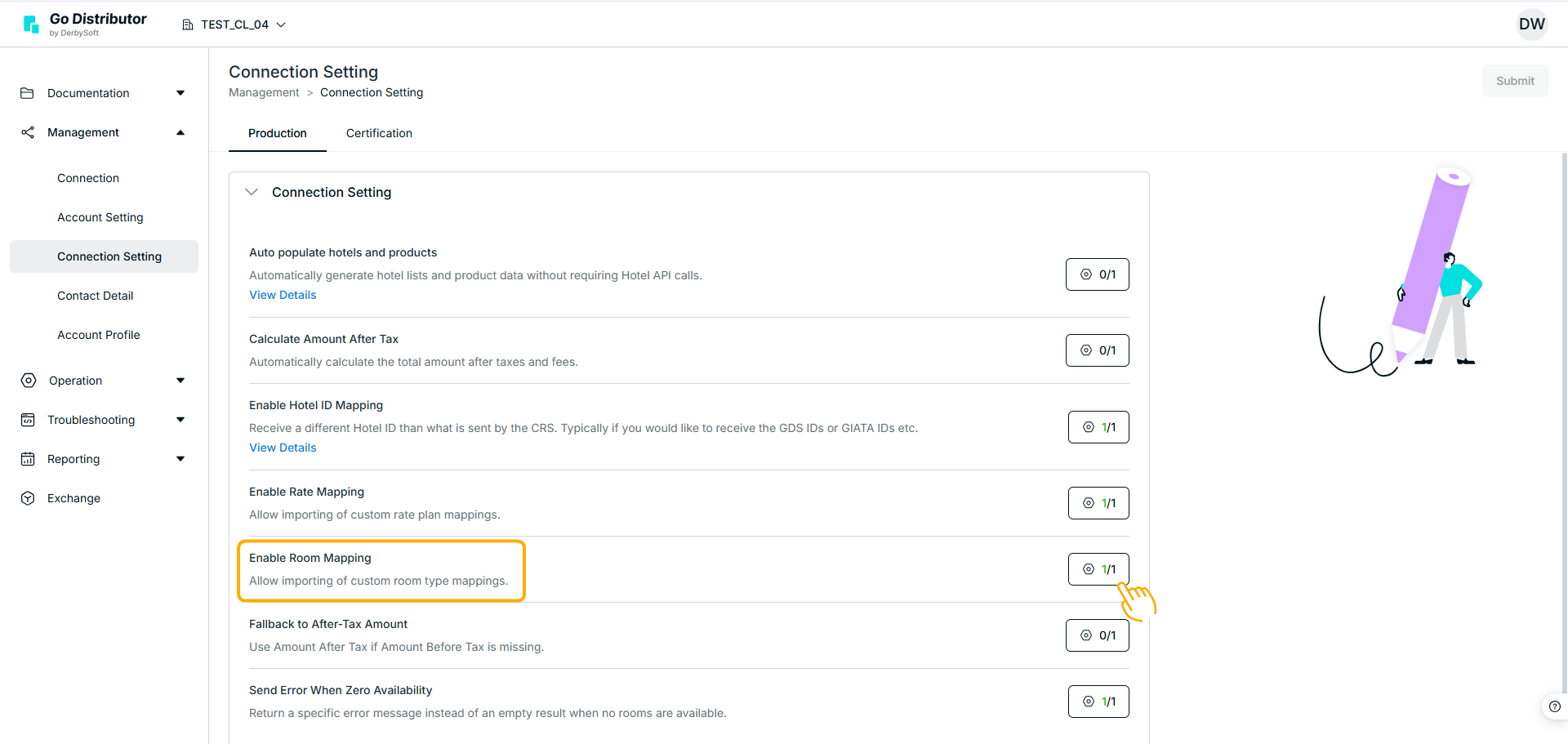
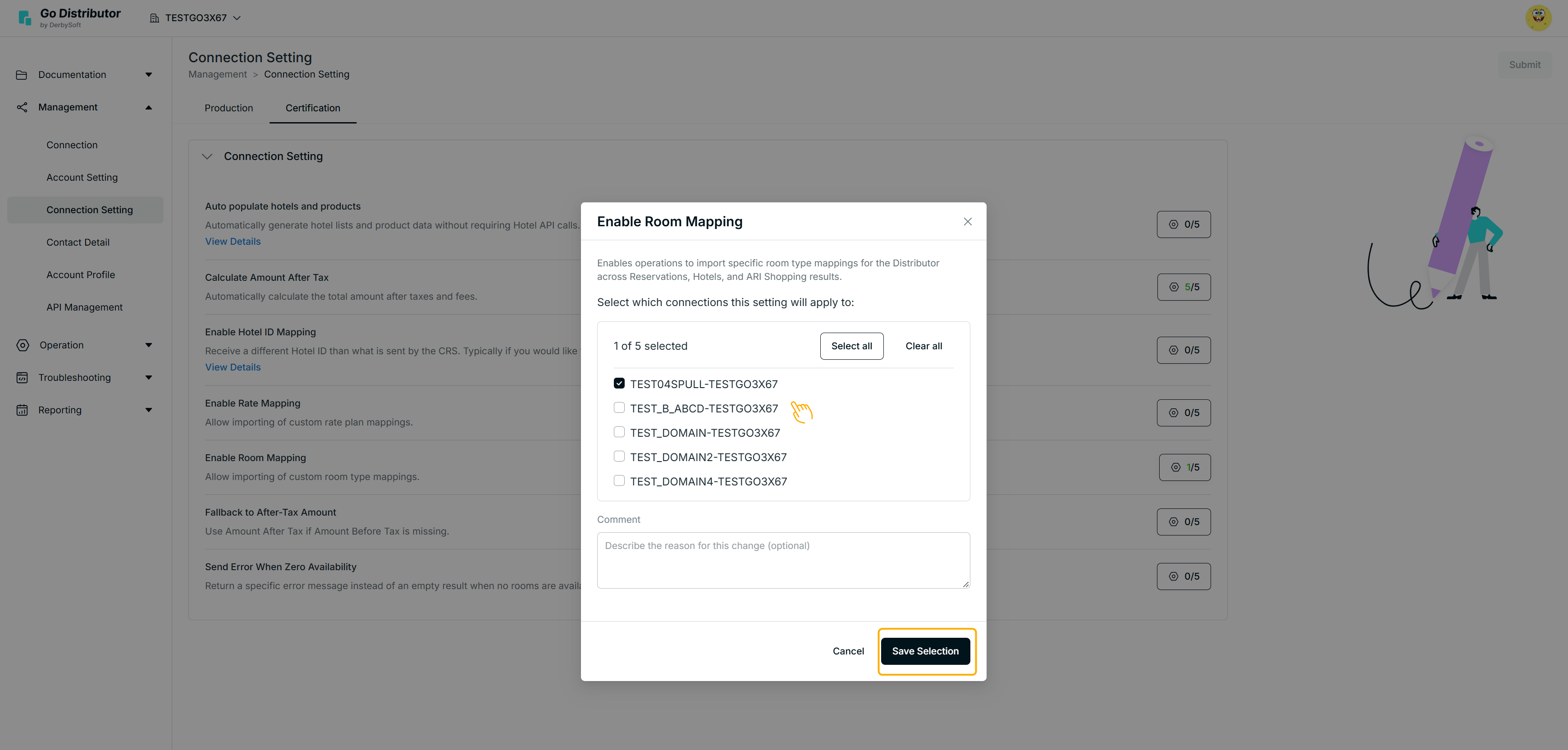
Note: After the function is enbaled, a View button appears. Clicking it redirects you to the room mapping page where mappings can be imported. Upon successful submission, a prompt on screen indicates that the function is now in use.
Step 2: Configure Mappings
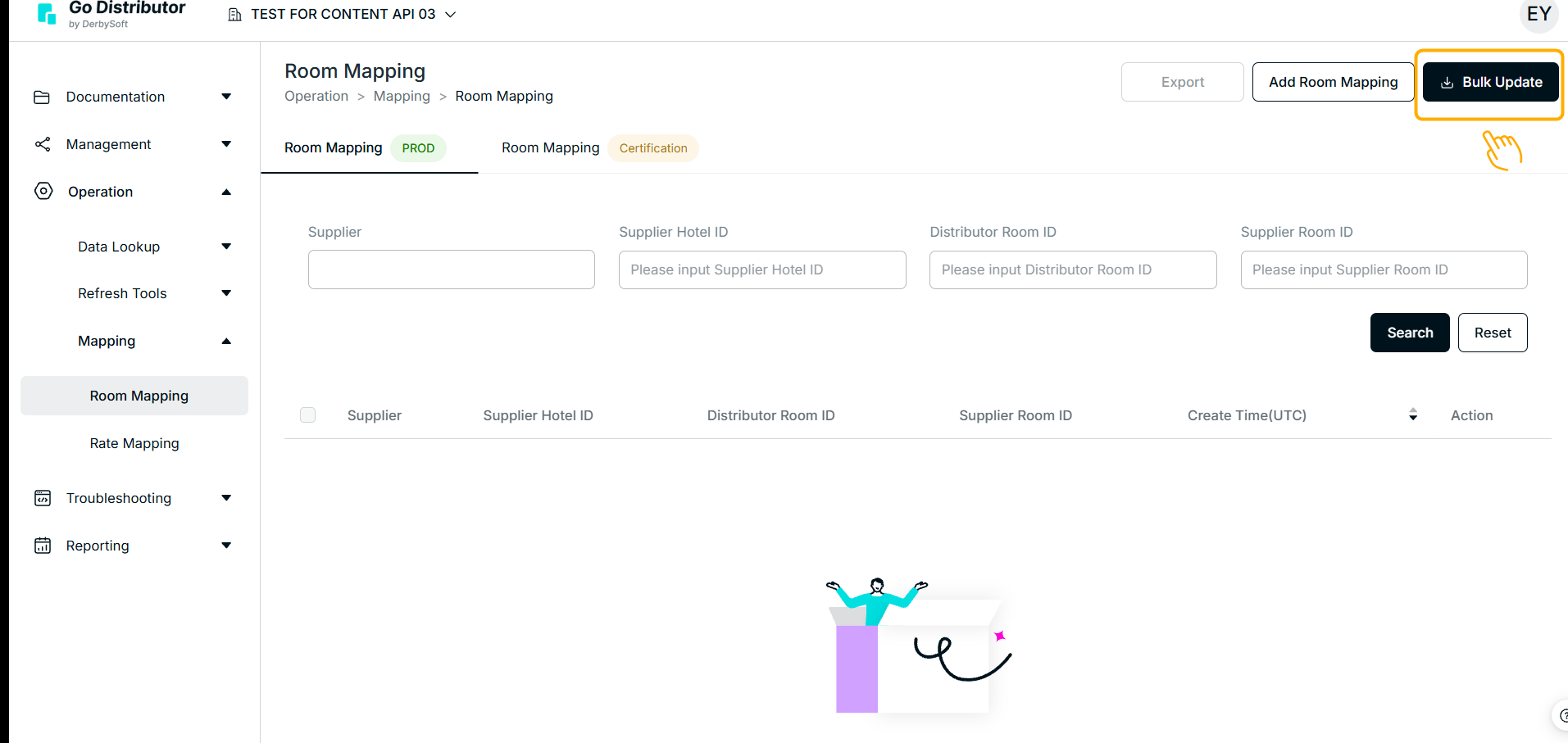
Go to Console > Management > Room Mapping. This tool is available in both UAT and Prod environments. Two options are provided:
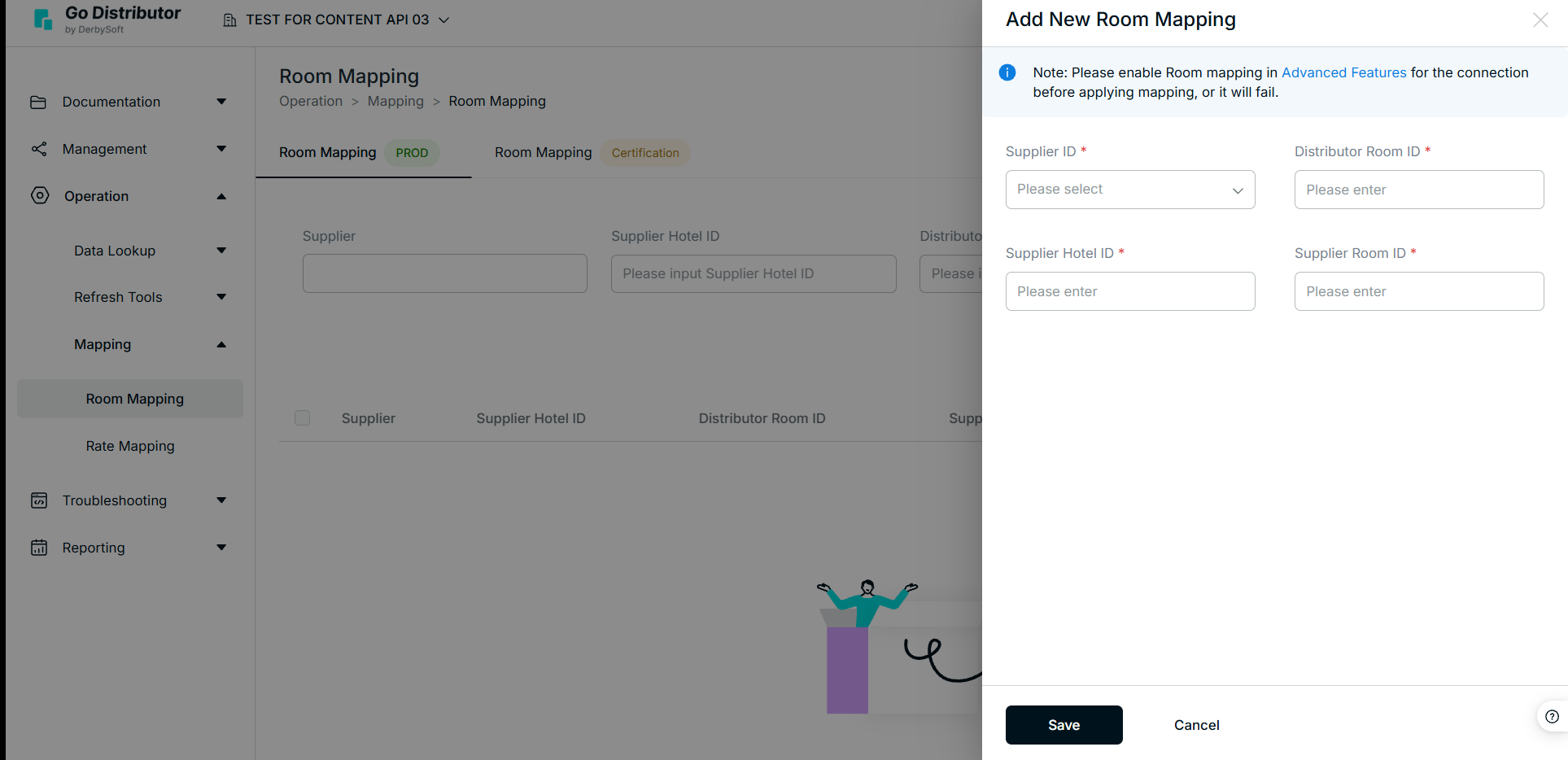
Option 1 Add Item
Add room mappings one by one, all fields are mandatory, click Save when finished.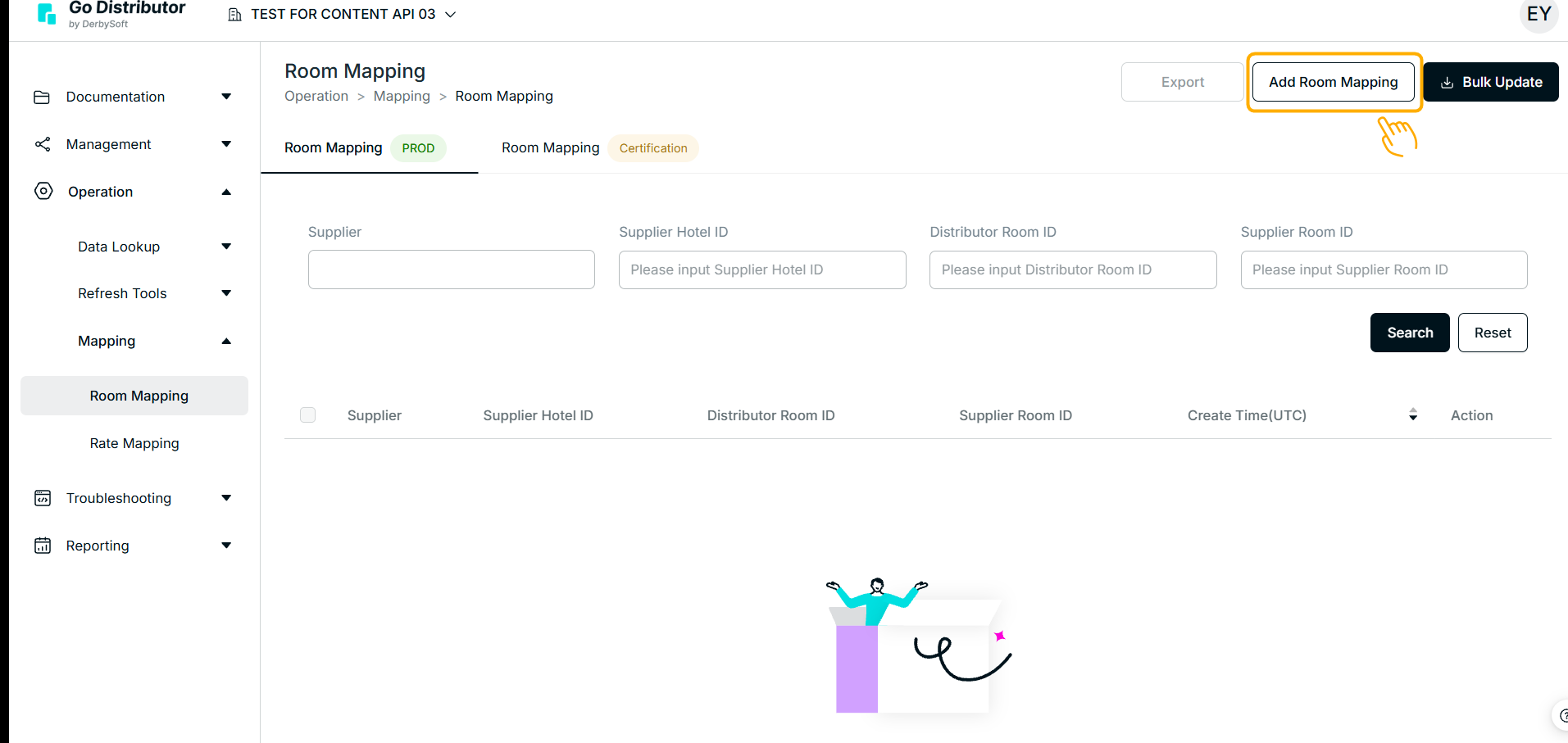
Option 2 Bulk Update
Download the template by clicking the icon. All fields are mandatory; missing any field will result in import failure.
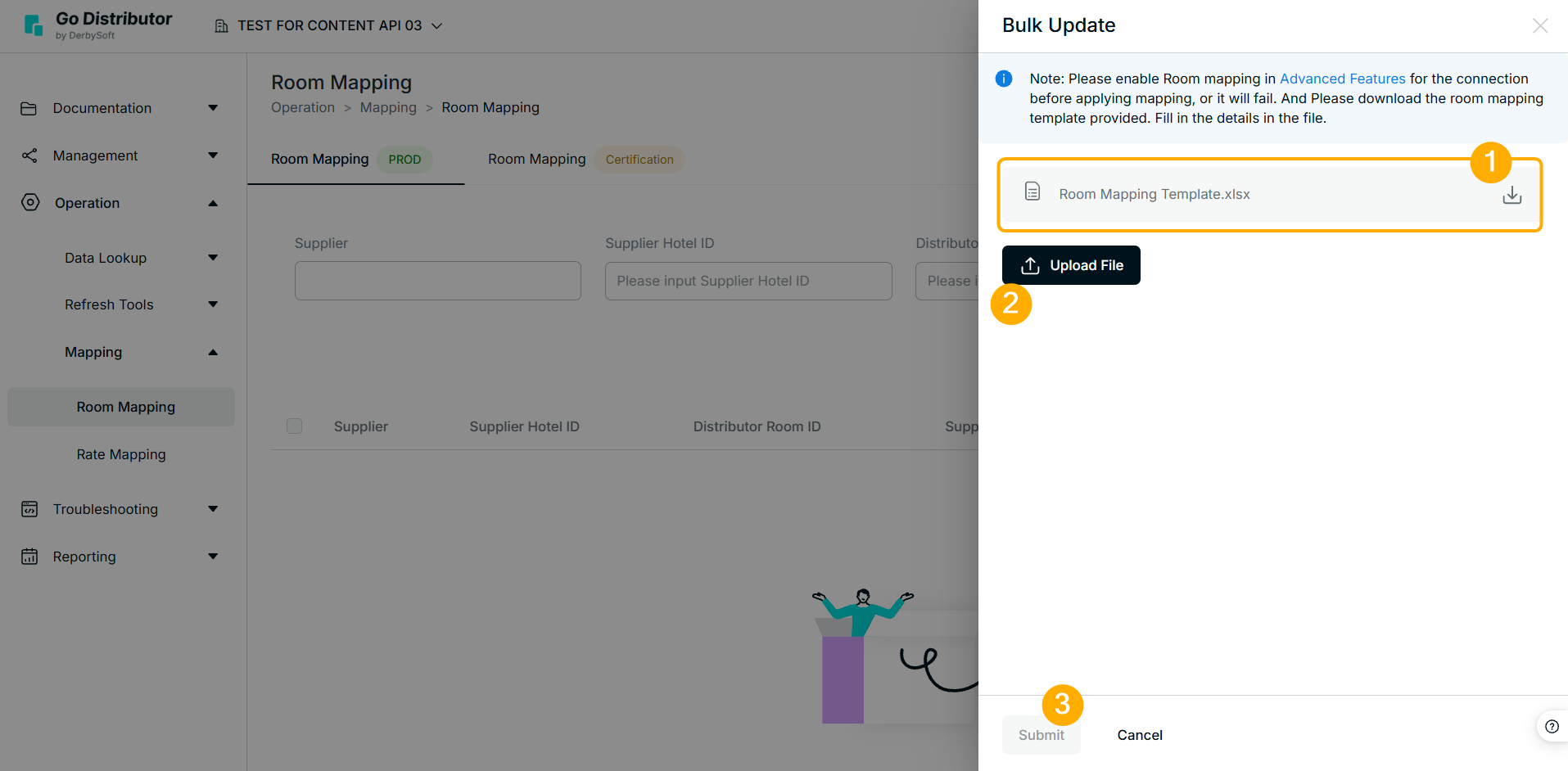
Upload the completed file to Console. The system will run a validation to ensure the file is eligible for use. Errors will be prompted if the file contains improper data.
Note: Mapping between Distributor Room ID and Supplier Room ID is 1:1.
Step 3 Verify Mappings
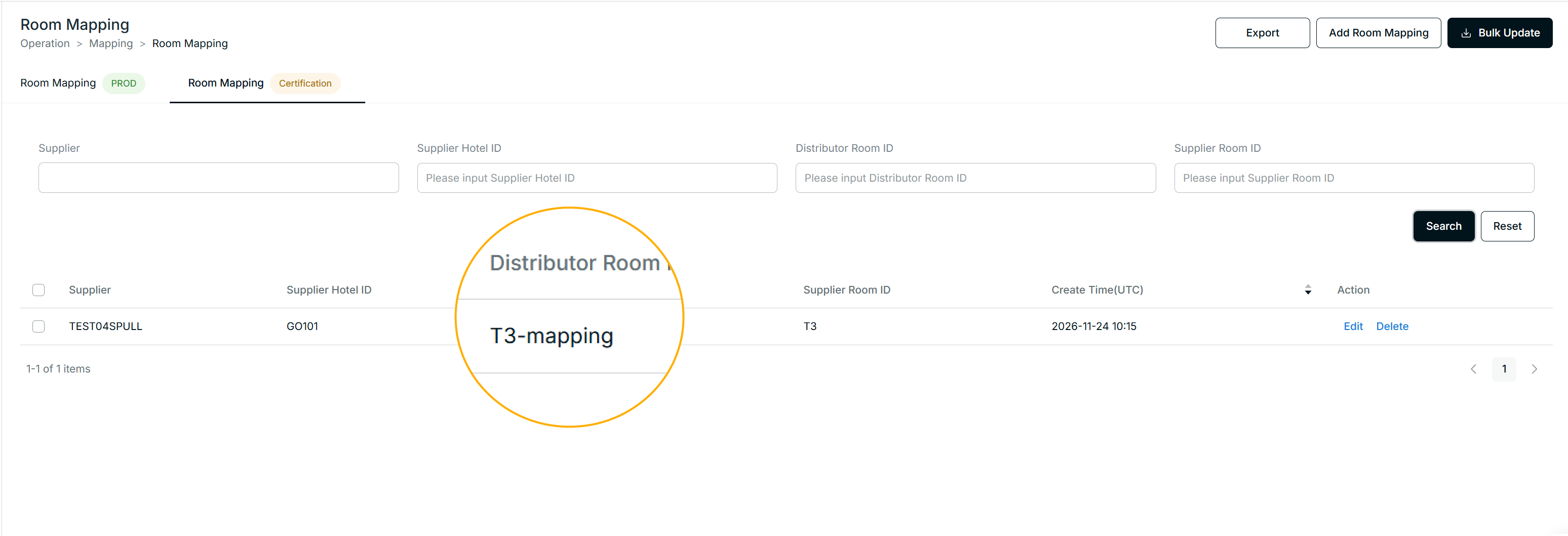
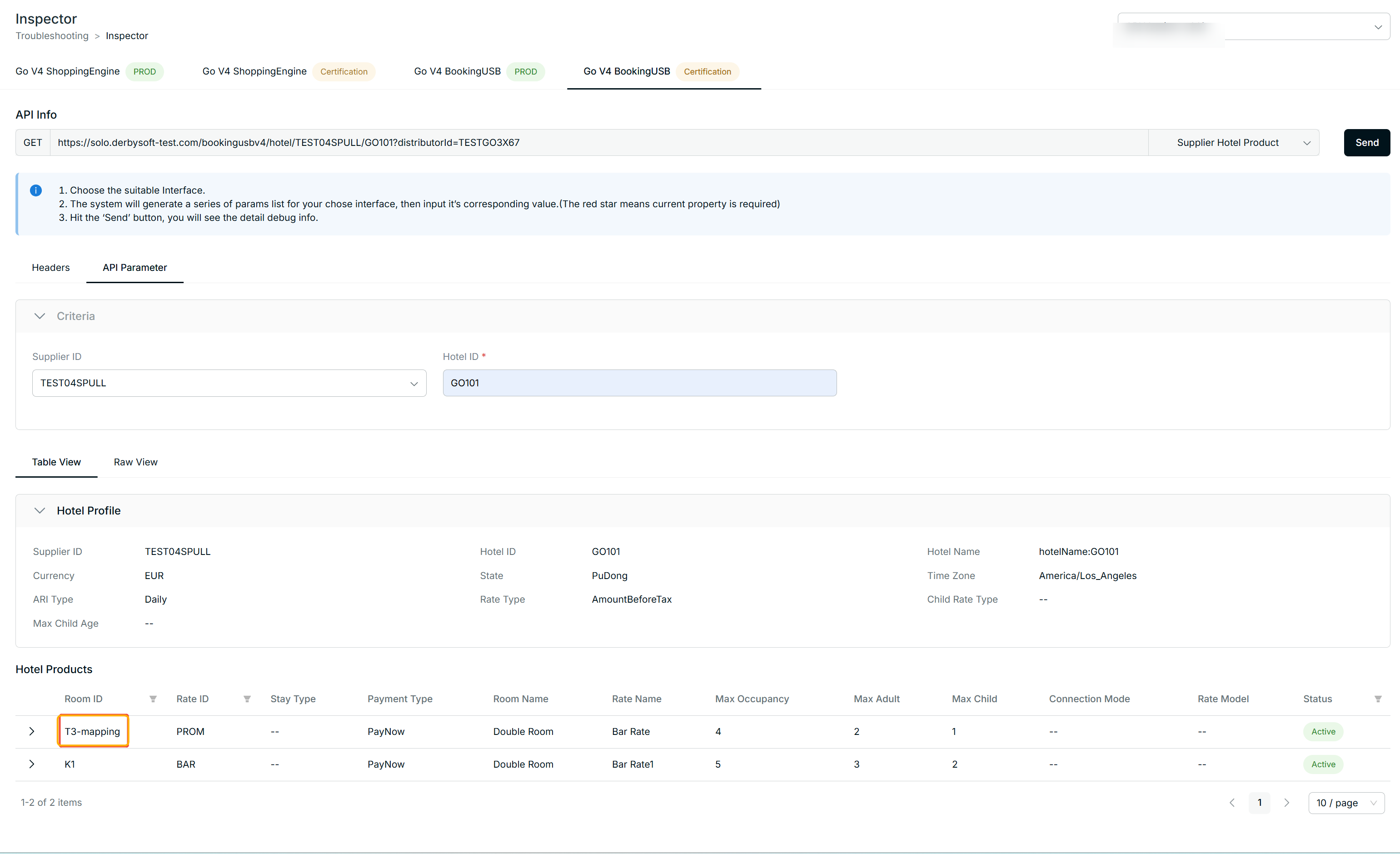
After mappings are successfully imported, use Inspector to verify the conversion. For example, when shopping a Supplier hotel product, the Room ID will display the Distributor Room ID based on the mapping.
Scenarios That Will Fail Room Mapping Conversion
- If the Distributor Room ID is mapped to an invalid Supplier Room ID, Go will return the original Supplier Room ID when you shop.
- If a mapping is deleted, Go will return the original Supplier Room ID when you shop.
- If the hotel is updated for an existing mapping (e.g., from GO101 to GO102), shopping GO101 will return the original Supplier Room ID; however, shopping GO102 will show the mapped room ID.
Did you find it helpful? Yes No
Send feedback